








Delta MS300 Series Inverter: Key Features, Practical Applications, and Control Options
What is the MS300 Inverter?
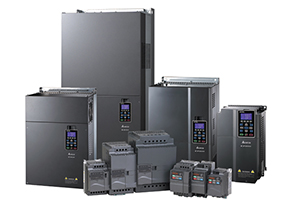
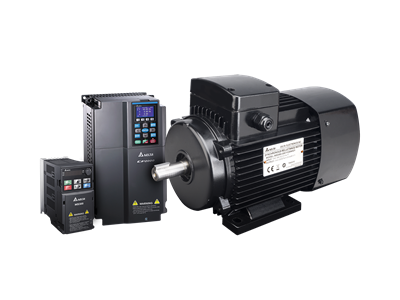
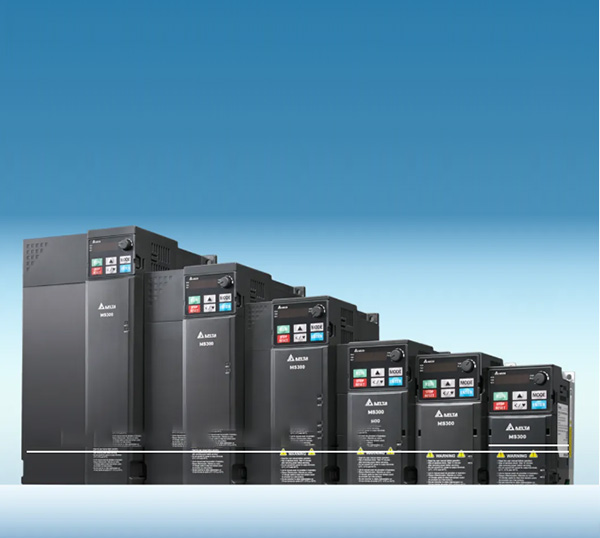
The Delta MS300 series inverter offers a smart, flexible solution for controlling motor speed in various industrial environments. Whether you’re working with pumps, fans, or automated machinery, this inverter makes it easier to maintain precise control. With advanced features like PID control and energy-saving capabilities, it’s built to provide stability and efficiency.
Key Features:
- Energy Efficiency: The inverter allows for fine-tuned speed adjustments, which leads to a significant reduction in power consumption.
- Versatility: With multiple control modes available, it’s adaptable to many different systems and applications.
- Smart Cooling: Built-in cooling management ensures the inverter stays cool, even when operating under heavy loads.
The MS300 isn’t just about reliable performance—it’s also designed to make managing motor control easier and more efficient.
How to Restore Factory Settings
One of the most useful features of the MS300 inverter is its ability to quickly return to factory settings. This is helpful when you need to start fresh or troubleshoot issues.
Restoring 50Hz Frequency:
- Set parameter
00-02to 9, and the inverter resets to a base frequency of 50Hz. You’ll see F value 50 on the panel, and other key parameters will adjust automatically.
Restoring 60Hz Frequency:
- Set parameter
00-02to 10, and the system will reset to 60Hz, with relevant settings updated accordingly.
Pro Tip: Using the factory reset is a quick way to fix configuration issues and get things back to working order in no time.
Unlocking Encrypted Parameters
Some settings in the MS300 inverter are encrypted for safety, ensuring unauthorized changes aren’t made. However, if you need to access and adjust those settings, you can unlock them with a few simple steps.
How to Unlock:
- Set parameter
00-07to 9999, then press Enter twice. This will reset all settings and unlock the encrypted parameters.
Reminder: Always make sure that only authorized personnel perform this operation to avoid accidental changes.
Understanding the Frequency Memory Function
The frequency memory function is perfect for maintaining consistency after a power outage. It lets the inverter remember the last frequency used, so when power is restored, the system continues as it was before the outage.
Memory Mode:
- Set parameter
11-00, bit7 = 0, and the inverter will restore the last frequency setting after power recovery.
No Memory Mode:
- Set parameter
11-00, bit7 = 1, and the inverter will reset to 0.00Hz once the power is restored.
Cooling Fan Operation: What You Need to Know
The cooling fan is crucial for maintaining the MS300 inverter’s performance. The fan speed adjusts automatically depending on the inverter’s temperature, ensuring efficient operation while minimizing energy consumption.
Fan Modes:
- Immediate Start (Parameter
07-19 = 0): The fan starts as soon as the inverter powers up. - Run-time Fan (Parameter
07-19 = 1): The fan runs during operation and shuts off one minute after the inverter stops. - Temperature Control (Parameter
07-19 = 3): The fan activates when the temperature exceeds 60°C and turns off once the temperature drops below 40°C, as long as the inverter is off.
Energy Tip: By adjusting the fan’s operation mode, you can reduce unnecessary power consumption and improve efficiency.
How to Connect the KPC-CC01 Digital Operator
For smoother, more intuitive operation, the KPC-CC01 digital operator can be connected to the MS300 inverter. This allows for easier parameter changes and monitoring, streamlining the whole process.
Communication Settings:
- MS300 default format: ASCII 9600, 7, N, 2
- KPC-CC01 default format: RTU 19200, 8, N, 2
Make sure to set parameter Pr.09.00 = 1 and Pr.09.01 = 19.2 to match the settings between the inverter and operator.
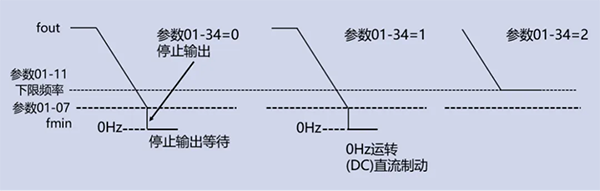
Switching Frequency Control Modes
The MS300 series allows users to choose from multiple frequency control modes, providing flexibility for different setups and applications.
PID Control Mode:
- Set parameter
00-20 = 9to enable PID control, perfect for applications that need precise frequency management.
Auto and Manual Modes:
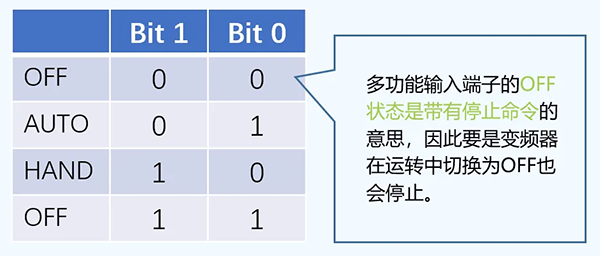
- Auto Mode (Parameter
00-20): Frequency control is managed by external inputs—ideal for automated systems. - Manual Mode (Parameter
00-30): Users have full control to adjust frequency manually—great for applications that need operator input.
Conclusion
The Delta MS300 series inverter is a powerful, versatile solution for controlling motors across various industrial applications. From features like factory reset and frequency memory to intelligent cooling and easy connectivity, this inverter ensures top-notch performance with minimal effort. If you’re looking for a reliable, energy-efficient way to manage motor control, the MS300 series is a solid choice.